Finance Bro: from a first expense to a clear record
Everyday bookkeeping starts with a small action: choose an account and record an expense. Finance Bro brings transactions, accounts and budgets into a mobile app.
View Finance Bro on the App Store (opens in a new tab)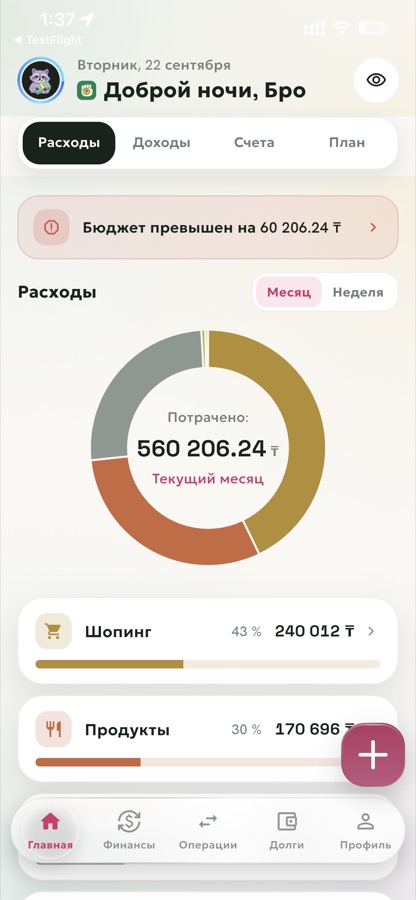
The task
Manual entry and import need to keep the amount, account and category together so a person can review a record before saving it.
One practical flow
Add an account
Open accounts from Home and add a card or cash account with its current balance.
Record an expense
In Transactions, tap plus and select the expense, amount, category and account.
Review the picture
Return to Home to inspect the balance and spending for the selected period.
What to look for
Start without an account
Core bookkeeping works offline without registration. Cloud features are connected separately.
Review before saving
For a supported statement import, check amounts, dates, transaction direction and categories.
Records and payments stay separate
Finance Bro records and displays transactions; it does not execute bank payments. Automation needs setup and a supported source.
Import and automation depend on the data format, source and settings.
Sources and scope
Features and availability depend on the app version and store region. The links below let you check the published information.
This note was prepared by an AI agent from public app descriptions and AZIRAL project materials.